Features
TrackShows does a small number of things and does them properly. Here is the full list, including what we deliberately left out.
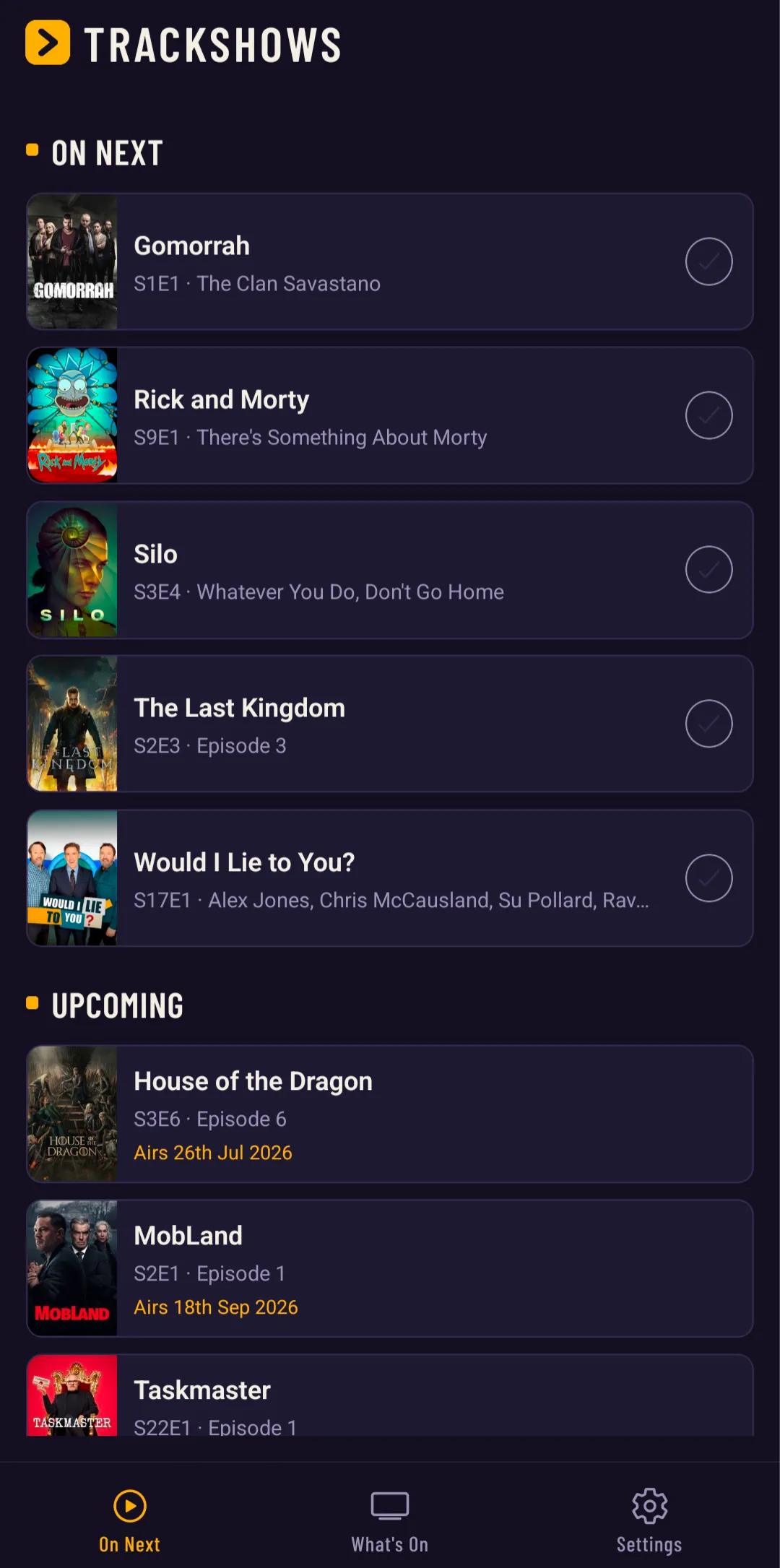
On Next: your next episode, always first
The home screen is a single list showing the next unwatched episode of every show you follow. Tick an episode off and the next one slides into its place. Shows between seasons move under an Upcoming heading with the date the next episode airs, and fully watched shows settle into a Completed section, marked Ended, Cancelled or Returning series, so the top of the list is always something you can watch tonight.
New-episode notifications
Follow a show and TrackShows sends one push notification on the day a new episode airs. Unlock a trophy and you get a heads-up for that too. That is the entire notification story: no engagement nudges, no "we miss you" messages, no marketing. One Notifications toggle in Settings switches it all off at any time.
Track shows and movies
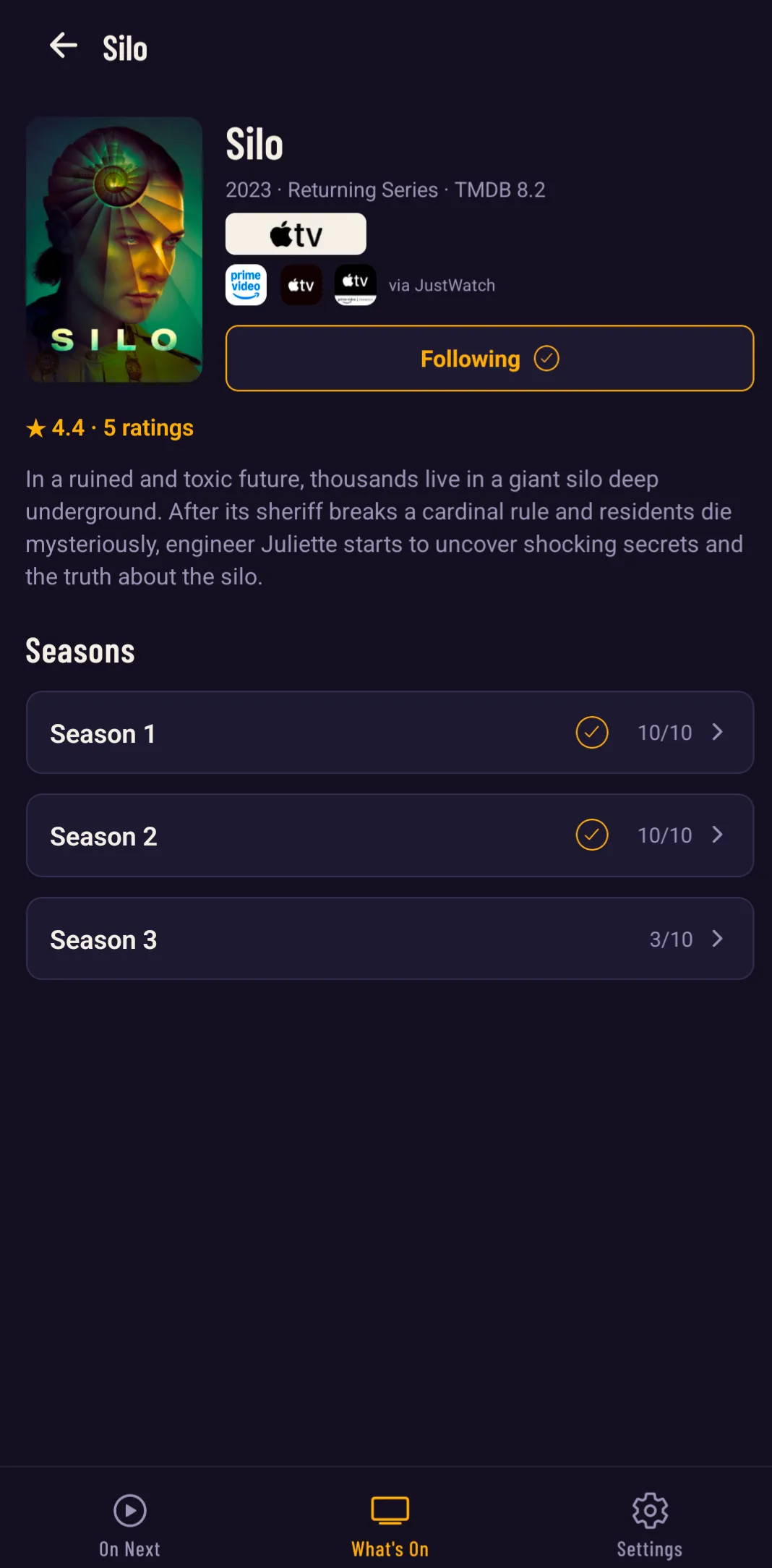
Mark individual episodes, whole seasons or films as watched in a tap. Season progress shows exactly how far through you are, and a completed season gets its tick. Metadata, artwork and air dates come from TMDB, the community-run movie and TV database, so new episodes appear as soon as they are announced. Show pages also list where each show streams, via JustWatch.
Import your TV Time history
Coming from TV Time? TrackShows reads the official TV Time data export directly. Request your export, pick the zip file in Settings, Import from TV Time, and TrackShows re-follows your shows and restores your watched episodes in one go. Our guide to exporting your TV Time data covers getting the file before the shutdown deletes it.
What's On
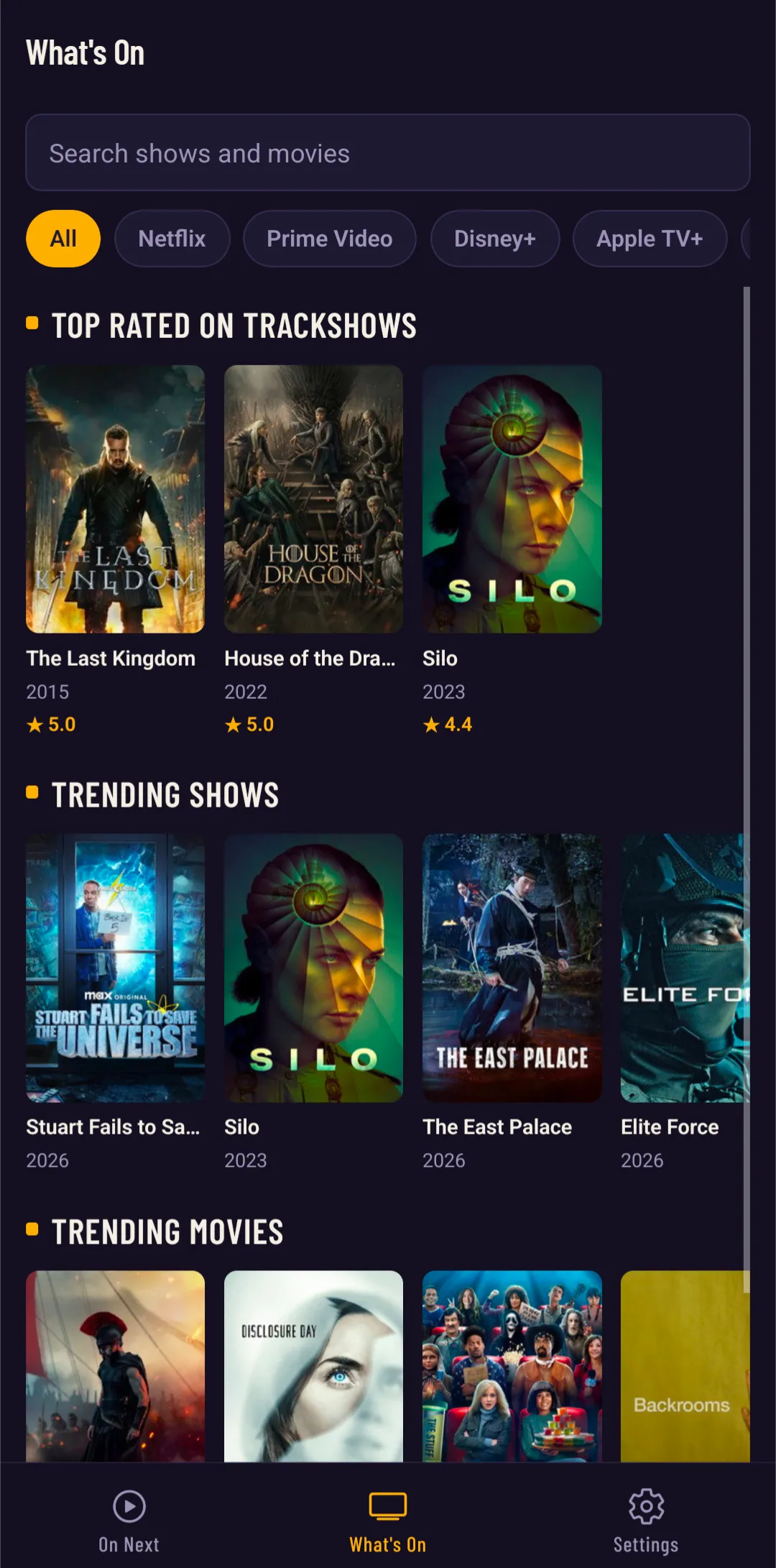
A trending tab with the week's most watched shows and films. When you want something new, it is one tap away; when you don't, it stays out of your way. Filter by streaming service, search anything, and see what other TrackShows users rate highest. Shows you might like and Movies you might like suggest new titles based on what you already follow, and they live here, on the discovery tab, never in your tracking.
Episode pages and spoiler-safe comments
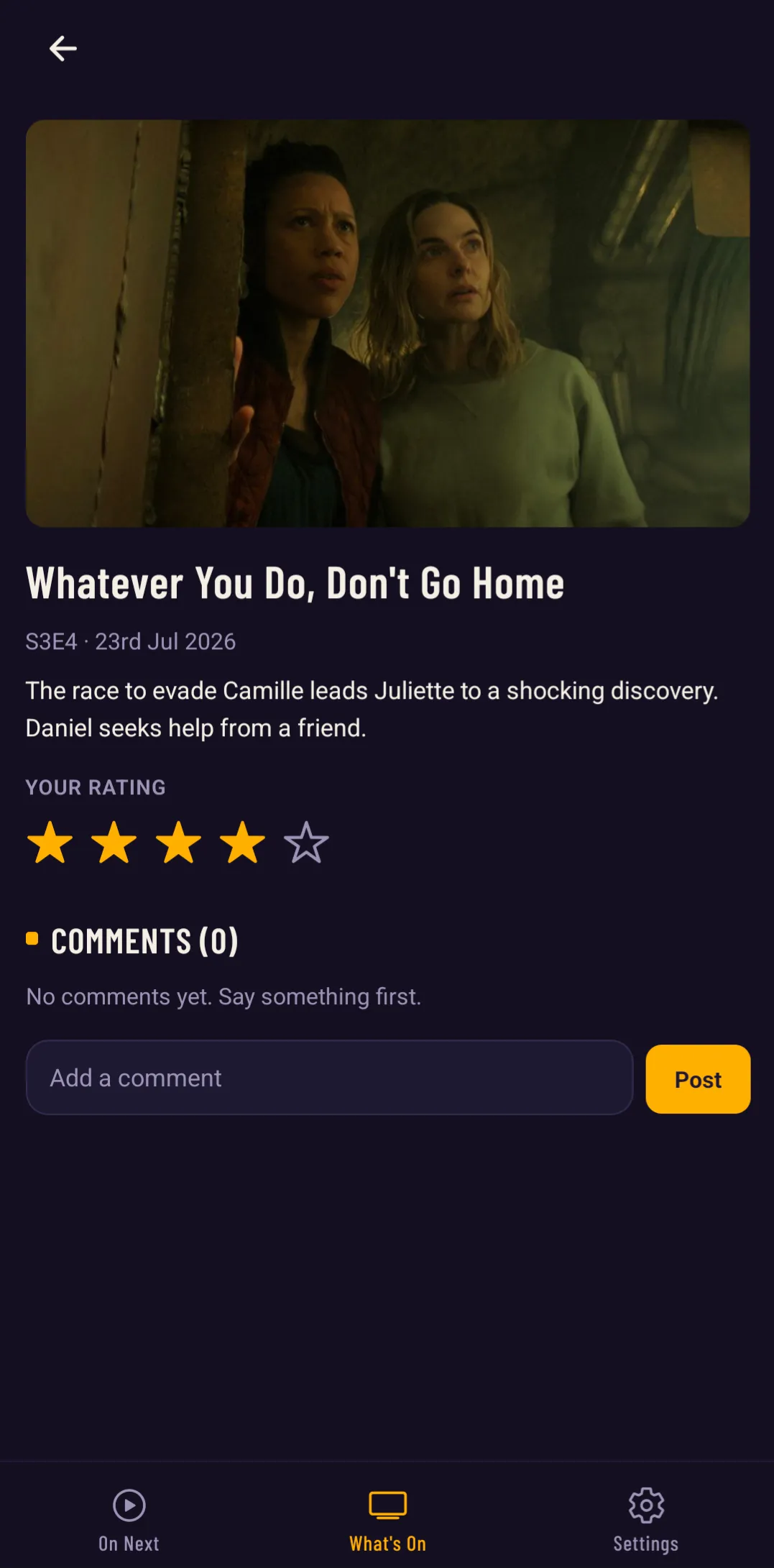
Every episode has its own page with the still, synopsis and air date, plus your rating and comments from other people who watched it. Comments are off by default: until you opt in from Settings, you will never see a comment or a comment count, so finales stay unspoiled. Replies are threaded one level deep, and every comment can be reported or its author blocked. Comments reported by multiple people are hidden automatically.
Your account, your data
Sign up with an email address and password. Password resets arrive as a six-digit code by email. You can delete your account, and everything we hold about you, from inside the app at any time. See the privacy policy for the full detail.
What TrackShows deliberately does not have
- No social feed and no followers
- No adverts and no tracking SDKs
- No algorithm deciding what you should watch: recommendations stay on What's On, and your tracking is only ever what you chose to follow
Trackers die when they try to become social networks. TrackShows stays a tool: open it, see what's on next, close it.